
Ticketón - Event tickets
Ticketon EntertainmentEvents
4.110.00 Reviews
- Version
- 1.2.6
- Installs
- 10.00K
- Age Rating
- Everyone
Screenshots
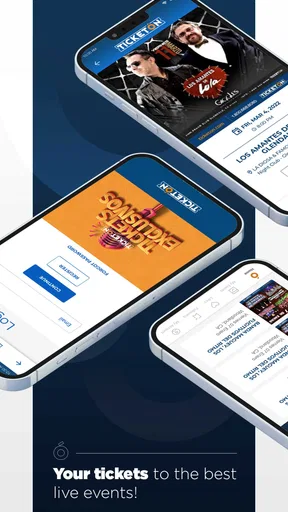
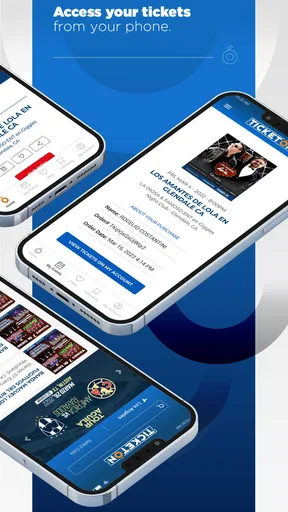

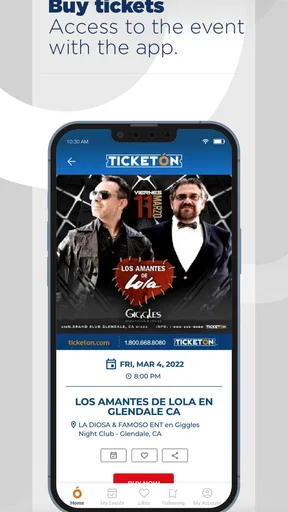
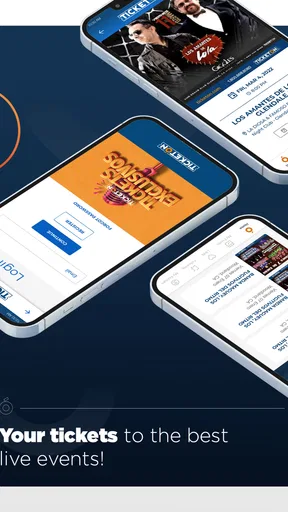
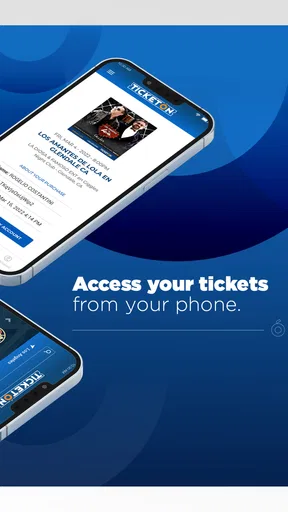

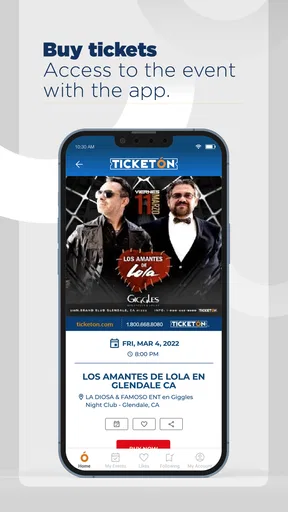
Our Review of Ticketón - Event tickets
 Analysis by Appyee
When I look for an event-ticketing app, I want the important answer quickly: what is happening nearby, whether the event suits my plans, and how much effort it will take to move from browsing to entry. Ticketón is built around that simple purpose. It is a free Events app from Ticketon Entertainment, aimed at helping people discover live entertainment and arrange access from a phone rather than beginning with a browser search or a printed listing.
My overall impression is that it makes the most sense for someone who regularly looks for concerts, shows, or other live experiences and prefers keeping the search in one place. It is less compelling for a person who already knows the exact venue and event, or for anyone expecting a full event-planning suite with extensive tools beyond ticket discovery. The app’s appeal is its focused role, not a long list of extras.
It has an Everyone content rating, which makes it broadly approachable from an age-classification standpoint. The release history is still relatively recent, beginning on September 20, 2023, and the current version is 1.2.6. That combination tells me to judge it as a developing ticket-finding tool rather than as a deeply established platform with years of visible refinement.
How Ticketón feels to use when finding an event
I focus here on the practical value of finding live events from one dedicated app, rather than treating it as a complete night-out planner. In my experience, the useful question is not simply whether an event appears nearby, but whether its details help me decide what to investigate next. That distinction shapes how I’d use Ticketón and where I’d look for confirmation before making plans.
Readability and navigation during a quick search
The biggest test for an events app is whether it helps me make a decision without creating another chore. Ticketón’s identity is clear from the start: it is for live entertainment, not general travel, restaurant reservations, or a broad social feed. That focus can reduce mental clutter when I am already in the mood to find something to attend.
In practical use, I would approach it with a specific question rather than casually expecting it to plan an entire evening. For example, if a friend messages me on a Friday afternoon asking whether anything interesting is happening nearby, I would use the app as a first stop for discovery. I could compare the available event choices, consider the location and timing shown for each one, and then decide whether the outing is realistic before committing.
That workflow matters for readability. Event information is only useful when it can be scanned in the right order. I look first for the event identity, then the date, place, and ticket path. If those details are presented close together, the app supports a calm decision. If I have to repeatedly open and close pages to reconstruct the plan, the experience becomes tiring, especially on a small phone screen.
I would not treat the app as a substitute for checking the final details before purchase. Live events can involve changes in schedules, venue arrangements, or ticket conditions, so I would read the event page carefully instead of relying only on a preview card. This is one of the most useful habits with any ticket app: use the listing to discover an option, then slow down for the commitment step.
The store rating sits at 4.1 on average from a modest group of user feedback, with ten written reviews visible alongside it. I see that as encouraging but not conclusive. It suggests that many users find the basic purpose worthwhile, while the limited volume means I would still leave room for different experiences across devices, events, and locations.
Useful navigation habits that save effort
One non-obvious way to use Ticketón is to separate discovery from decision-making. Instead of opening every promising listing immediately, I would first scan for events that match my available time and travel tolerance. Only then would I inspect the details of the strongest candidates. This reduces the number of page transitions and makes it easier to compare realistic choices rather than collecting an unmanageable list.
A second useful habit is to involve the person who will actually attend before finishing the ticket process. An event may look appealing but still be unsuitable because of the venue, start time, seating expectations, or the amount of standing involved. Sharing the event information early is especially important when planning for a group, because accessibility and comfort needs can differ sharply between attendees.
A third is to keep a simple backup plan. If I were arranging a night out around one listing, I would note the event name, venue, and scheduled time somewhere I can reach without depending entirely on a live connection or a last-minute search. That is not a criticism unique to Ticketón; it is sensible preparation for any digital ticket workflow, particularly when a crowded venue or weak signal could make phone use awkward.
Motor and sensory considerations
Ticket browsing on a phone can be convenient for people who prefer tapping rather than handling paper, but convenience is not the same as universal access. For someone with limited fine-motor control, repeated scrolling, small touch targets, or a checkout sequence that requires precise taps can turn a short task into a frustrating one. I would test the app slowly, use the phone’s built-in display settings where helpful, and avoid completing a purchase while rushed.
For users with low vision, the practical question is whether event names, dates, venues, and action controls remain distinguishable when text is enlarged. I would not assume that every screen behaves equally well with larger system text. A good personal check is to open a listing, increase the phone’s text size, rotate the device if that is comfortable, and confirm that no essential information becomes hidden or difficult to reach.
People who are sensitive to visual movement, dense layouts, or bright screens may also prefer a quieter browsing setup. Lowering screen brightness, enabling a device-level display mode, and taking breaks between listings can make the process less tiring. These are phone-level adjustments rather than special Ticketón guarantees, so I would judge the app by how well its content remains understandable after those adjustments.
For hearing-related needs, the app’s core value is not dependent on listening to audio; the important ticket information should be read as event text. However, attending the event is a separate matter. A listing can help me identify a show, but it does not automatically answer questions about captioning, sign-language interpretation, quiet areas, or sound levels. I would contact the venue or organizer before buying when those details affect whether the event is genuinely suitable.
Users with cognitive disabilities may benefit from a deliberate, step-by-step approach: choose one event, verify the basic details, pause, and only then continue. I would avoid opening many possibilities at once. Writing down the selected venue and time can also reduce memory pressure, especially when coordinating transport or meeting someone at the entrance.
Situational access in ordinary life
Ticketón is most useful when I am away from a desktop and want to explore live entertainment from the phone already in my hand. That fits spontaneous plans, travel days, or a conversation with friends where nobody wants to wait until they get home. The free price also removes an initial financial barrier to trying the app, although the event itself may of course involve a ticket purchase.
Consider a realistic scenario: I finish work earlier than expected, and two friends want to do something that evening. Rather than searching across several unrelated venue pages, I would open Ticketón, look for options that fit the remaining time, and compare the practical details. If one person has mobility limitations, I would treat the app as the discovery stage and then verify venue access directly before purchasing. That distinction prevents a convenient search tool from being mistaken for a complete accessibility guarantee.
The app can also help when a group has different preferences. One person may want a major performance, while another may prefer a smaller local event. I would ask each person to identify their non-negotiables—travel distance, start time, seating, noise, or cost—and use those points to filter our choices mentally. Ticketón can support the shared search, but the group still needs a conversation; the app cannot resolve personal trade-offs for us.
Situational access changes with battery level, connectivity, glare, noise, and time pressure. A person who finds the app comfortable at home may struggle to read it while walking through a busy station. I would search before leaving, save the essential information in a permitted way, and avoid making a rushed purchase in an unfamiliar environment. This is particularly helpful for anyone who needs more time to process choices or who uses assistive settings that make rapid navigation less comfortable.
The app has passed the threshold of over ten thousand installs, so it is not an unknown experiment with no visible audience. Still, that audience size does not tell me whether every local area has the same event coverage. I would judge its usefulness by the quality and relevance of the listings where I live, not by the install figure alone.
Where the usual alternatives may be better
Compared with searching venue websites one by one, Ticketón offers a more centralized starting point. That is valuable when I know I want a live experience but do not yet know which event to choose. The trade-off is that a venue’s own site may provide more direct operational information, especially around seating, entry rules, accessibility arrangements, and last-minute notices.
Compared with general search engines, the app is more purpose-built. A general search can produce wider results, but it may also mix current events with old pages, opinion articles, and unrelated entertainment. Ticketón should feel more focused for the initial browse, while a broader search remains useful when I need background information about an organizer, venue, transport route, or accessibility contact.
Compared with social media, the app is less dependent on discovering an event through someone else’s post. That can be helpful for people who do not want a noisy feed. Social platforms may still be better for seeing informal updates, audience reactions, or community discussion. I would use those channels as supporting research rather than assuming that a promotional post contains all the information needed for a purchase.
Finally, a dedicated venue or organizer channel may be preferable when I already know exactly where I want to go. In that situation, an extra discovery layer can slow me down. Ticketón earns its place when uncertainty is the problem—when I need ideas and a manageable route toward tickets—not when the decision has already been made.
Remaining barriers and points to check
The clearest limitation is that a ticket-discovery app cannot by itself make an event accessible. It can point me toward an experience, but the real barriers may be at the venue: entrances, lifts, seating, queues, toilets, lighting, sound, or staff support. I would verify the details that matter to me before paying, preferably through the organizer or venue rather than guessing from a short listing.
I would also be cautious about group purchases. If one person needs a particular seating arrangement or a low-stress entry plan, the cheapest or fastest-looking option may not be the best one. Before confirming anything, I would agree on who needs which accommodation and check whether the selected event can realistically support it. This avoids the common mistake of treating accessibility as an afterthought once tickets are already secured.
Another source of friction is the small-screen environment itself. A long event description, multiple choices, or a detailed checkout can be harder to review on a phone than on a larger display. I would use a stable connection, take screenshots only when appropriate and safe, and reread the final details before completing the transaction. If the screen becomes confusing, switching to a larger device or contacting the relevant event provider may be the better choice.
I would skip Ticketón if I wanted extensive planning tools, detailed venue accessibility profiles, or a guaranteed all-in-one record of every part of an evening. I would also skip it as my only source when the event is high-stakes for my needs and the listing does not answer essential questions. In those cases, direct communication with the venue is more reliable than assuming the app has every operational detail.
On the other hand, I would recommend trying it if the main problem is discovering live entertainment without jumping between many pages. Its free access makes experimentation easy, and its Everyone rating means the app is positioned for a broad audience. The sensible approach is to use it as a focused discovery and ticket pathway, then apply a second verification step for personal requirements.
My inclusive verdict
After using Ticketón as an event-finding tool, I see a clear, practical benefit: it gives mobile users a direct place to begin when they want live entertainment nearby. I like that it is focused, free to install, and simple to position in a real routine—browse first, compare what fits, verify the important details, and then decide.
Its inclusive value is strongest when I control the pace. I can search before leaving home, enlarge the phone display if needed, reduce distractions, and involve companions before committing. Those habits make the experience more workable for different abilities and circumstances, even though they are not a replacement for venue-level accessibility information.
Ticketon Entertainment has kept the product centered on the event search rather than surrounding it with unrelated functions. That focus will suit people who want a practical starting point. It will not satisfy everyone, particularly users who need detailed access information inside the ticket app itself or who already have a preferred venue and want the shortest possible route.
The current version, 1.2.6, gives me a useful basis for trying it, while the average of 4.1 shows a generally positive reception without making the app seem beyond criticism. My recommendation is conditional but clear: try Ticketón for discovering options and organizing the first stage of a night out, then confirm the venue and event conditions that affect your comfort, mobility, senses, or support needs. Used that way, it is a helpful companion for finding live experiences—not a substitute for thoughtful planning.
Verdict
Strengths of Ticketón - Event tickets
- Quick access to concerts, festivals, and local events in one app.
- Digital tickets are convenient to keep and present at the venue.
- Event listings include useful dates, locations, and ticket details.
- Supports discovering Latin music and cultural events in different cities.
- Buying in advance can help secure entry to popular events.
Limitations of Ticketón - Event tickets
- Service fees may increase the final ticket price at checkout.
- Event availability and selection vary considerably by location.
- Refund and cancellation policies may differ between individual events.
- Some tickets may require internet access or app access at entry.
- Customer support response times can vary during busy event periods.
Similar Picks in This Category
View All
Easy Quran Mp3 Audio Offline
Muslim Worldapp4.7

Invitation Maker: Cards & RSVP
Greetings Island4.9

StubHub - Live Event Tickets
StubHub4.3

Fever: Events & Tickets
Fever Labs4.7

Epic Freebie Games Radar
Arioch Pds - Apps & Games4.4

Invitation card Maker, Design
Splendid App Maker4.9
Frequently Asked Questions
What is Ticketón - Event Tickets, and what can I use it for?
Ticketón - Event Tickets is a mobile platform for discovering and purchasing tickets to concerts, festivals, sports events, cultural activities, and other live experiences. After installing the app, users can browse available events, check dates and venues, review ticket categories, and complete a purchase from their phone. Availability and event selection may vary depending on your location.
How do I buy tickets through Ticketón?
To purchase tickets, search for an event or explore the available listings, open its details page, and select the date, ticket type, and quantity you want. Before confirming, carefully review the venue, event time, fees, and total price. You will generally need an account and a valid payment method. Keep the confirmation email or digital ticket accessible after completing the transaction.
Are Ticketón tickets delivered digitally or physically?
Ticket delivery depends on the event and the organizer. Many purchases provide a digital ticket, QR code, or electronic confirmation that can be shown at the entrance from your phone. Some events may use will-call pickup or another delivery method. Always read the delivery instructions shown during checkout, and save the confirmation in case mobile connectivity is limited at the venue.
Can I cancel, refund, or transfer a ticket purchased on Ticketón?
Refund and cancellation rules are usually determined by the event organizer, promoter, venue, or the specific ticket conditions displayed at checkout. Many tickets are non-refundable unless an event is canceled, postponed, or the listing explicitly allows refunds. Before paying, check the purchase terms and contact Ticketón support or the organizer promptly if you need help with a transfer, refund request, or event change.
Is Ticketón safe to use, and what should I check before downloading it?
Ticketón can be useful for finding and purchasing event tickets, but users should still verify that they are installing the official application from the Google Play Store or Apple App Store. Review the developer name, permissions, privacy information, and recent user feedback before downloading. For every purchase, confirm the event details, final fees, payment screen, and ticket delivery instructions to avoid misunderstandings.
